
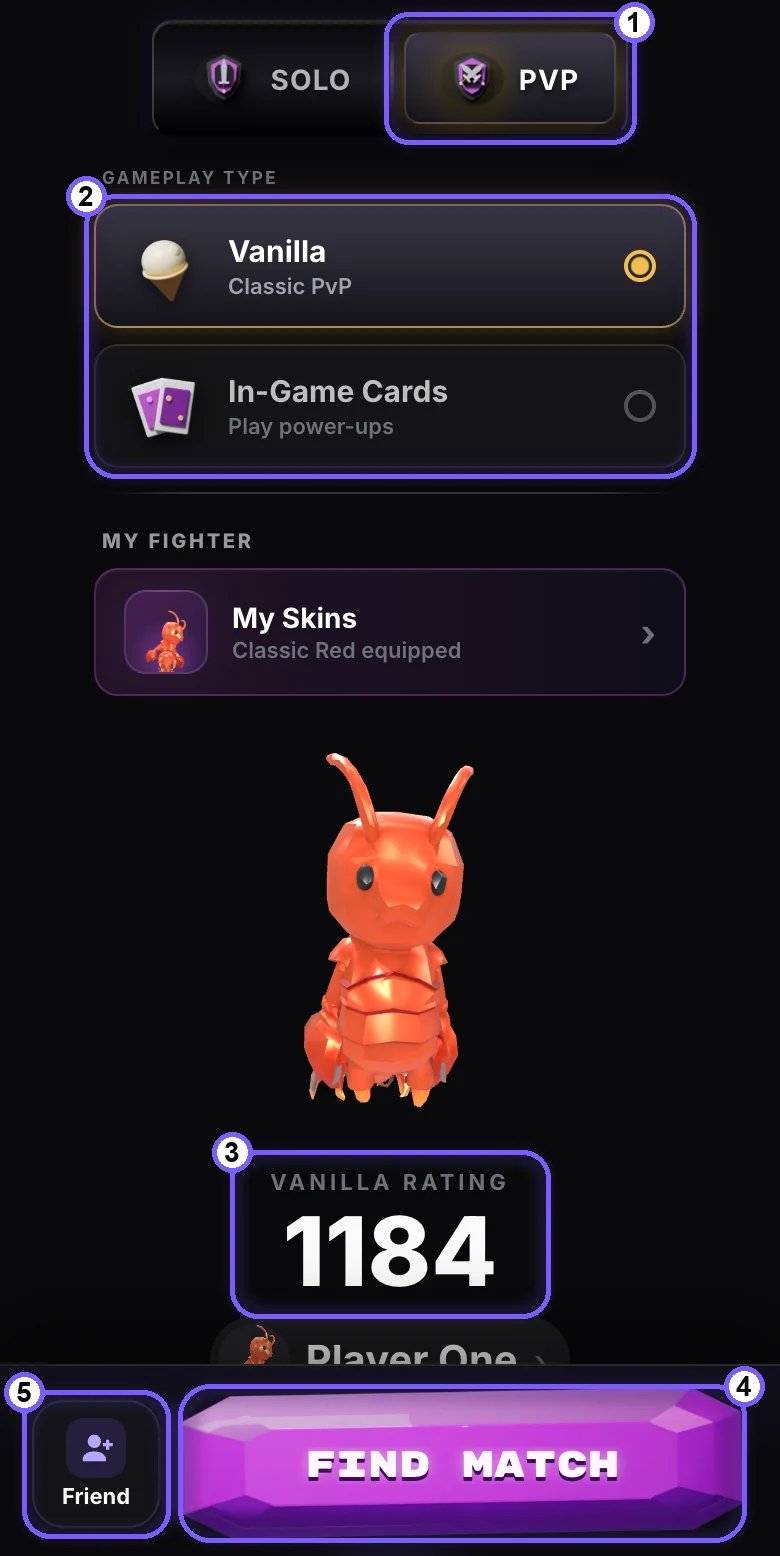
1 PvP · 2 Vanilla or In-Game Cards · 3 Your rating · 4 Find Match · 5 Play with a friend
Two modes
- Vanilla (“Classic PvP”): just you, your opponent and the chart.
- In-Game Cards (“Play power-ups”): the same fight, plus power-up cards.
Ranked
Press Find Match (Find Opponent on iOS) to be matched with an opponent. Ranked matches against players change your rating for that mode, and ranked games against players have a daily limit. In ranked and tournament matchmaking, if no player is available right away, you may be matched with an AI opponent.Play with a friend
Choose Play with a Friend (Friend on a phone), then Create Room to get a room code. Your friend enters it with Join Room. Friendly matches are unrated.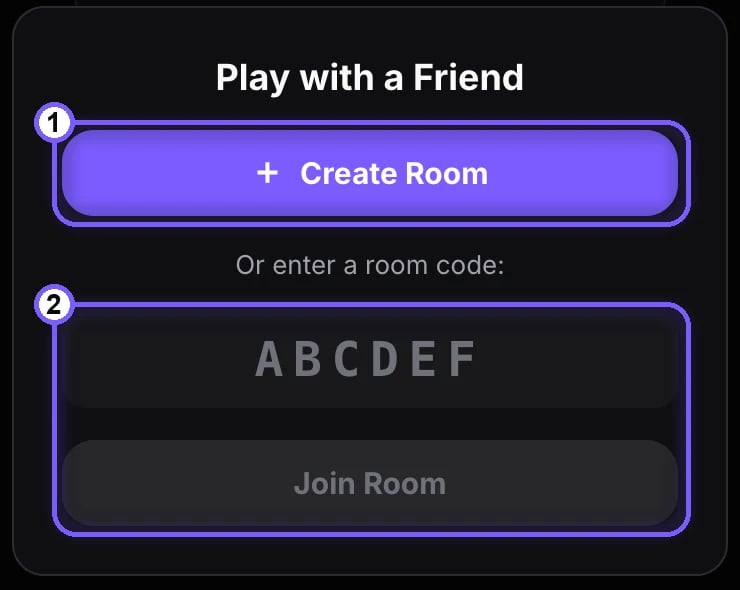
1 Create Room gives you a room code · 2 Your friend types the code and presses Join Room
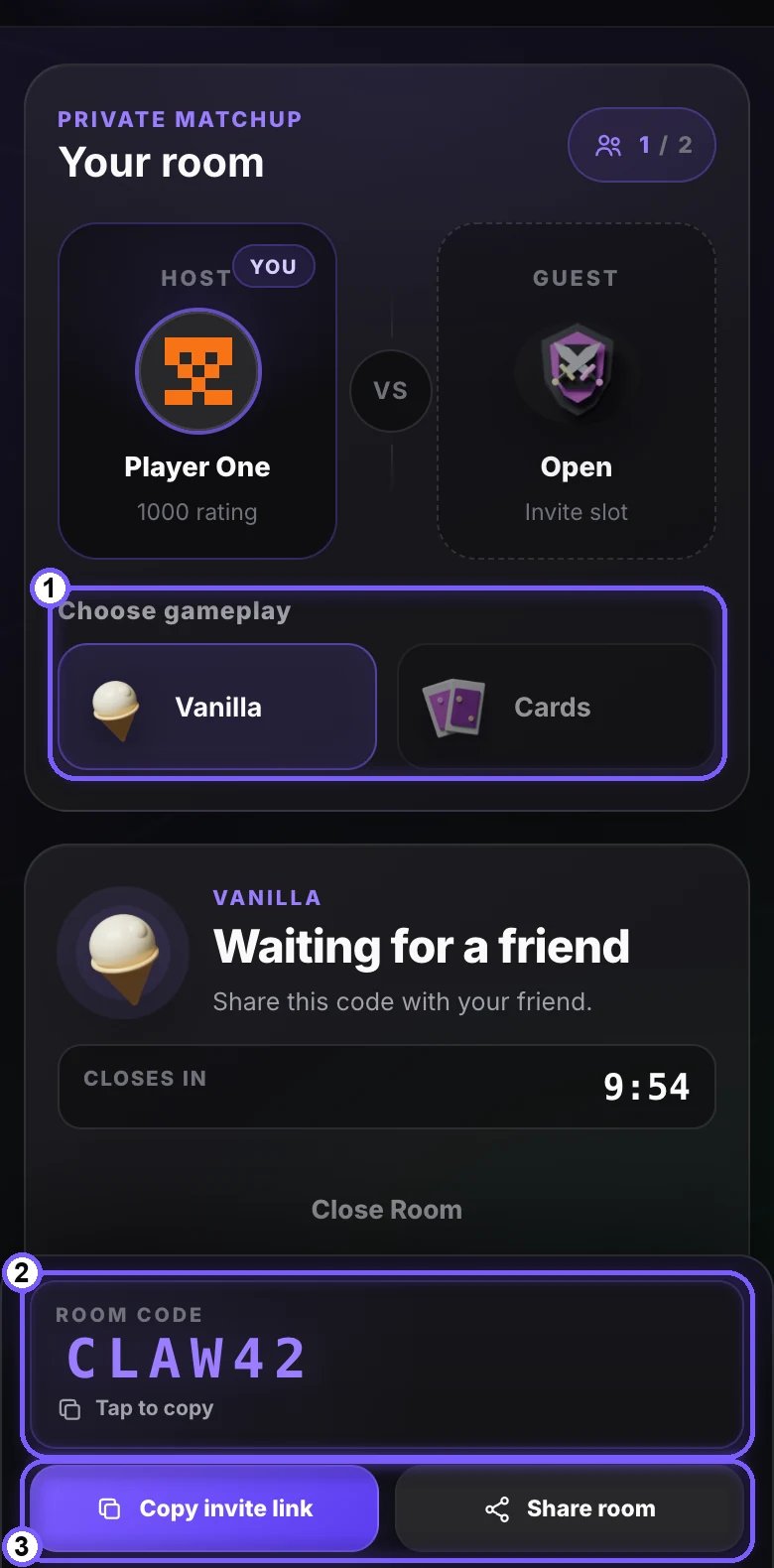
1 The host picks the gameplay · 2 Your room code · 3 Send the invite
Leaving a match
Resign counts as a forfeit. Against another player, staying disconnected for too long does too.On iOS, PvP opens once you clear Lobster Gym on the solo road.