
Solo
Solo is a road of opponents like the core game’s solo road, but your positions are real perps on Perpl.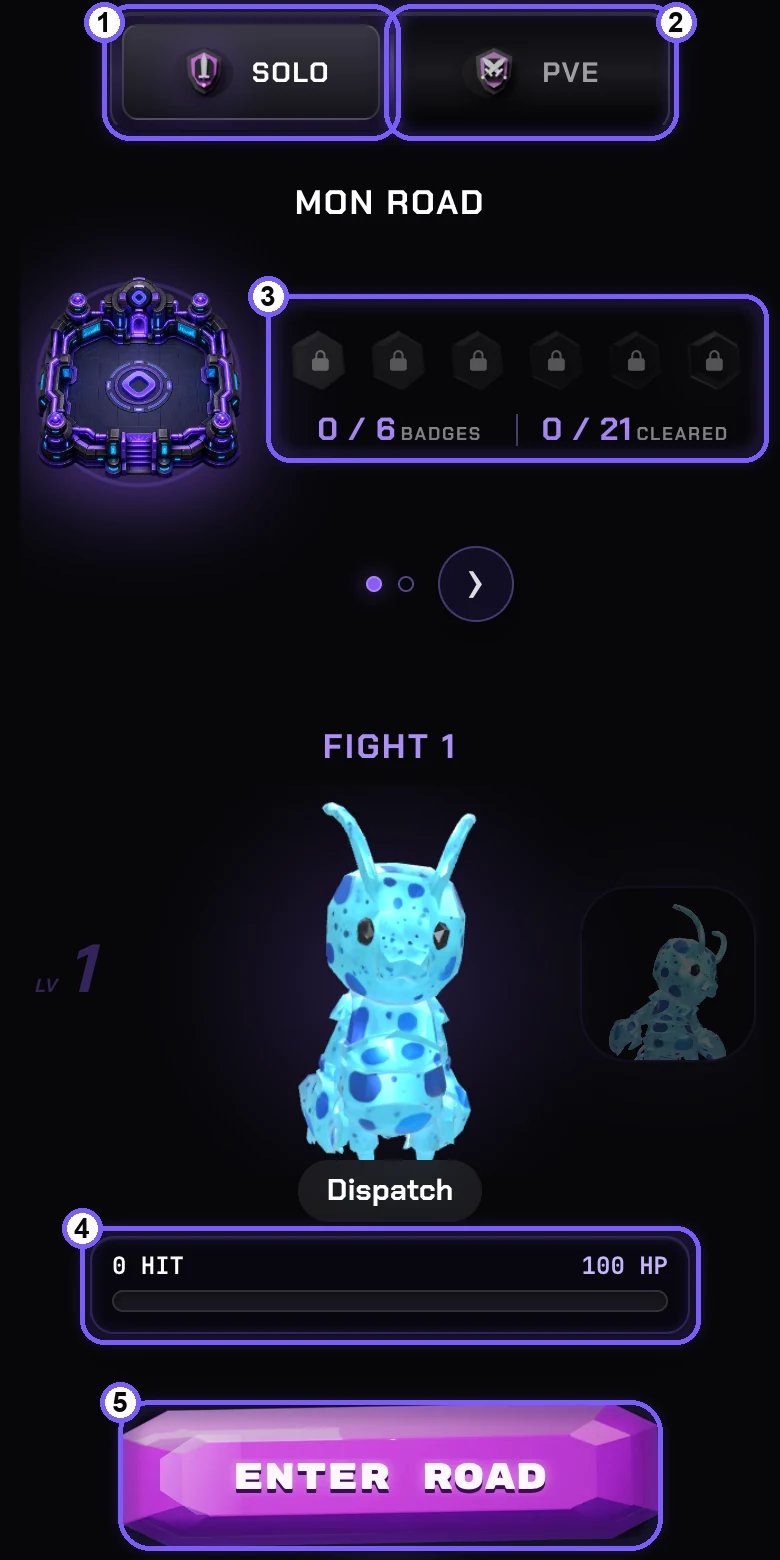
1 Solo · 2 PVE, where the Advanced desk is · 3 Badges and stages cleared · 4 Your opponent's health · 5 Enter the road
- Each stage sets a limit on position size, shown in the game as the stage’s purse. A purse is a limit, not a prize or money held for you.
- The leverage you can choose is shown in the game, and some stages allow less.
- Take-profit and stop-loss cards are in every starting hand. Playing one sets a protective order at the level the game shows. It can fill late, partly, at a worse price or not at all, so it doesn’t cap your loss.
- Health, knockouts, stages and badges are game features. A knockout doesn’t close a real position, and real losses stay in your Perpl account.
- If Perpl liquidates your position, the fight ends in a knockout.
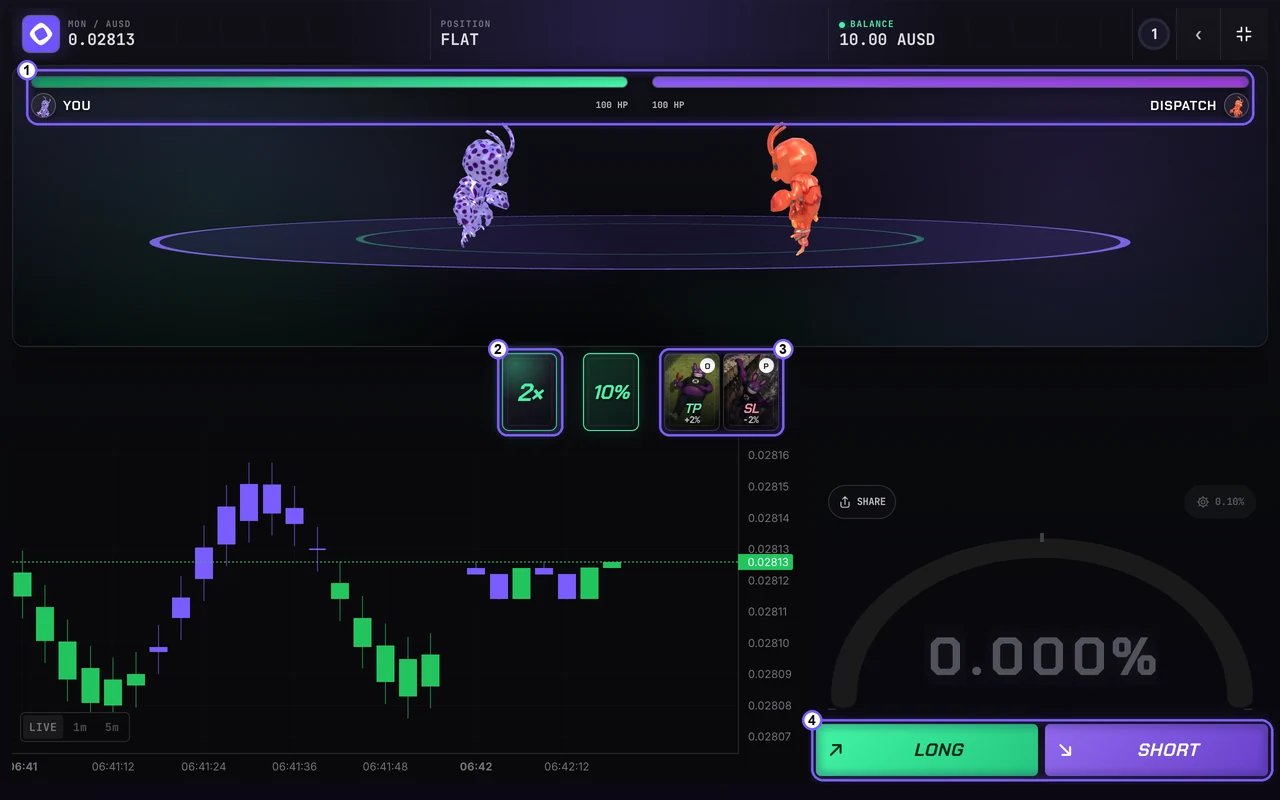
1 Health · 2 Leverage · 3 Take-profit and stop-loss cards · 4 Long or Short
Advanced
Advanced is a trading desk with its own wallet. You pick a market, a side and leverage within Perpl’s limits, and you can set take-profit and stop-loss orders. The markets on offer are shown in the app. To open it, choose PVE in the Arena tab and enter a market’s arena.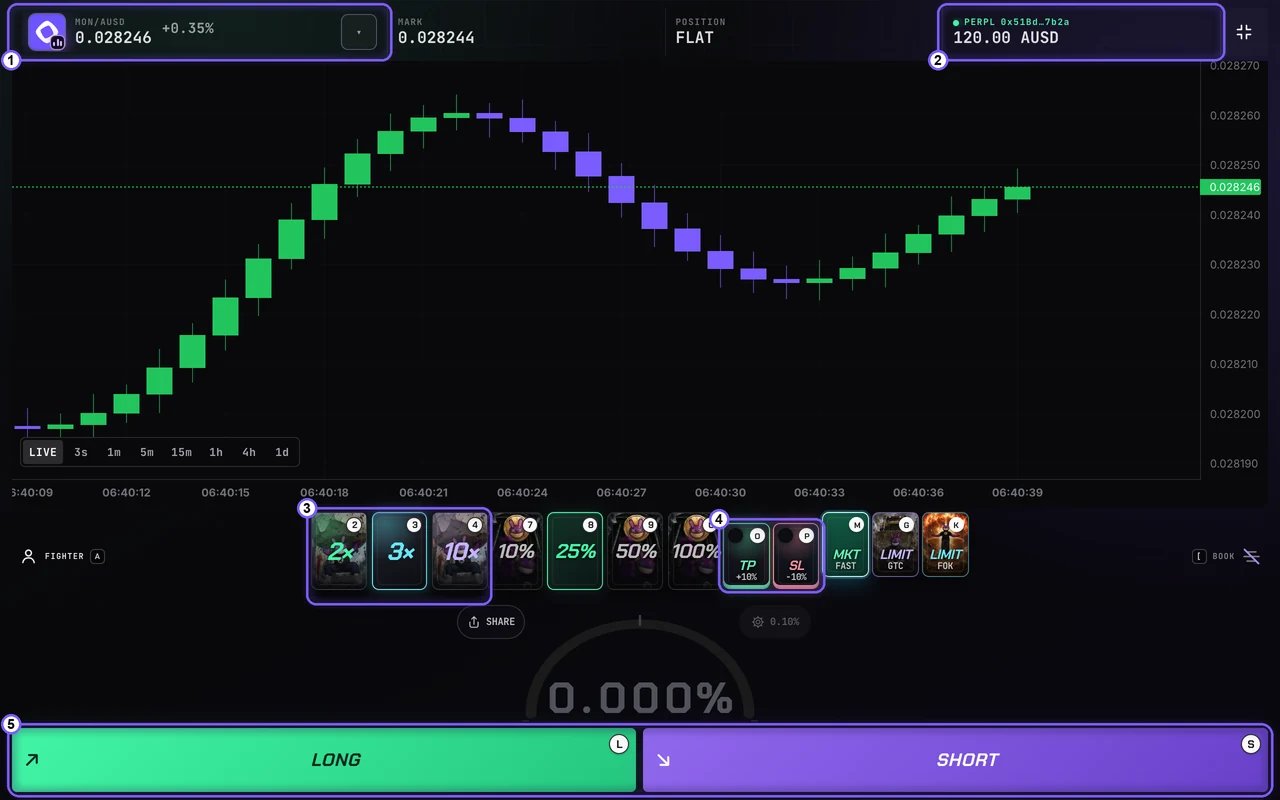
1 Market · 2 Your Advanced account · 3 Leverage · 4 Take-profit and stop-loss · 5 Long or Short
Protective orders
Take-profit and stop-loss orders are placed on Perpl as trigger orders on its mark price, and our servers also watch the price as a backstop. Both work on a best-efforts basis: an order can execute late, partly, at a worse price than your trigger, or not at all. They are not guaranteed stops.Reading the gauge
The gauge estimates the gain or loss from closing the remaining position now, after its opening fees and estimated closing fees, before funding. Its percentage is return on the margin backing that position, not the percentage change in the token price or your whole wallet.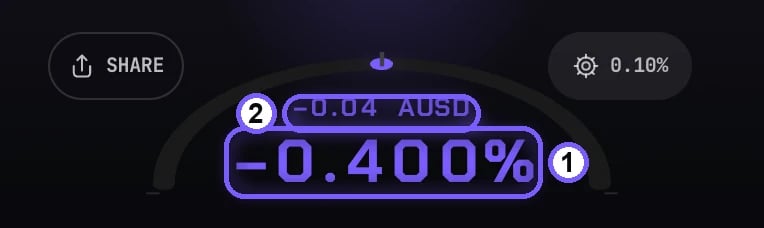
Example position · 1 Estimated return on margin · 2 Estimated gain or loss in AUSD
- A positive return, shown in green, estimates a gain after trading fees. A negative return, shown in purple, estimates a loss after trading fees, for either a Long or a Short.
- A new position can start below zero because opening fees are already charged and the gauge also allows for the estimated fee to close. Buying and selling at different order-book prices can add to that gap.
- After a partial close, the gauge follows what is still open. It does not add earlier closed results back in.
- The final execution price and funding can change the amount settled. The gauge is an estimate, not a confirmed payout. An ≈ cue marks an estimate based on Mark or a previous quote while fresh executable prices are unavailable.